• Home
  • Category
    • Web Hosting
    • Domain
    • cPanel
    • Billing or Accounts
    • Reseller Hosting
    • Web Design
    • WordPress
    • WHMCS Tutorial
    • SSL Certificates
  • Support
  • Blog
  • Main Site
  • Contact Us
  • Home
  • Category
    • Web Hosting
    • Domain
    • cPanel
    • Billing or Accounts
    • Reseller Hosting
    • Web Design
    • WordPress
    • WHMCS Tutorial
    • SSL Certificates
  • Support
  • Blog
  • Main Site
  • Contact Us
Home/Knowledge Base/cPanel/How to login cPanel form Orange Soft BD client area?

How to login cPanel form Orange Soft BD client area?

50 views 0 May 20, 2022 Updated on December 4, 2024 support

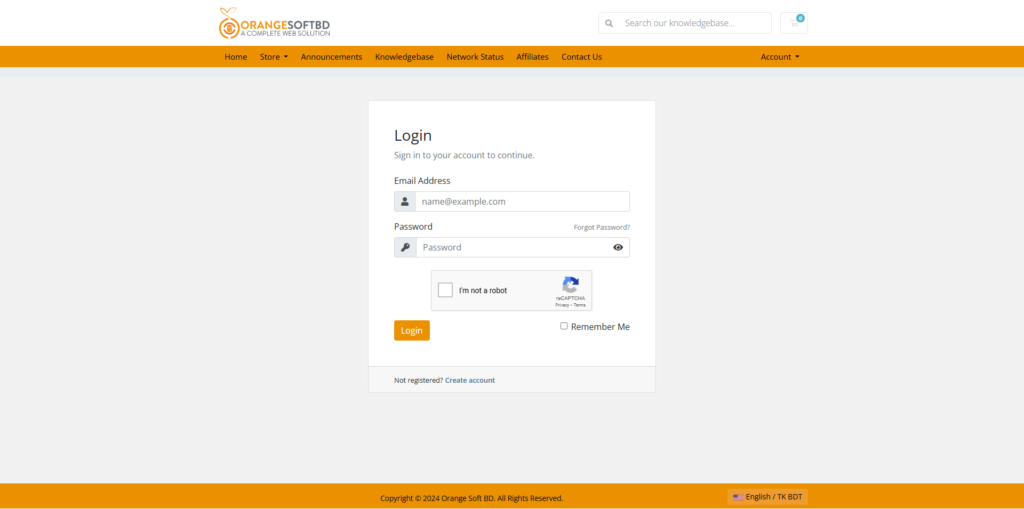
Step 1. Log in to your Alphanet Client Area.

The first step is to login to your Orange Soft BD Client Area, this can typically be accessed by going to the link: Login URL
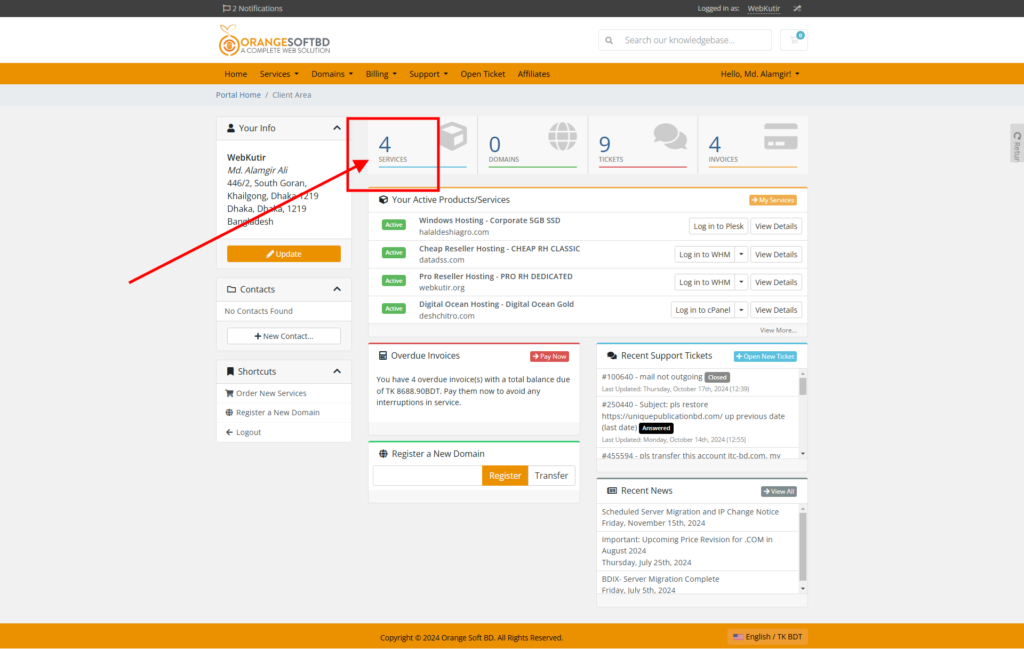
Step 2: Click this SERVICES button 
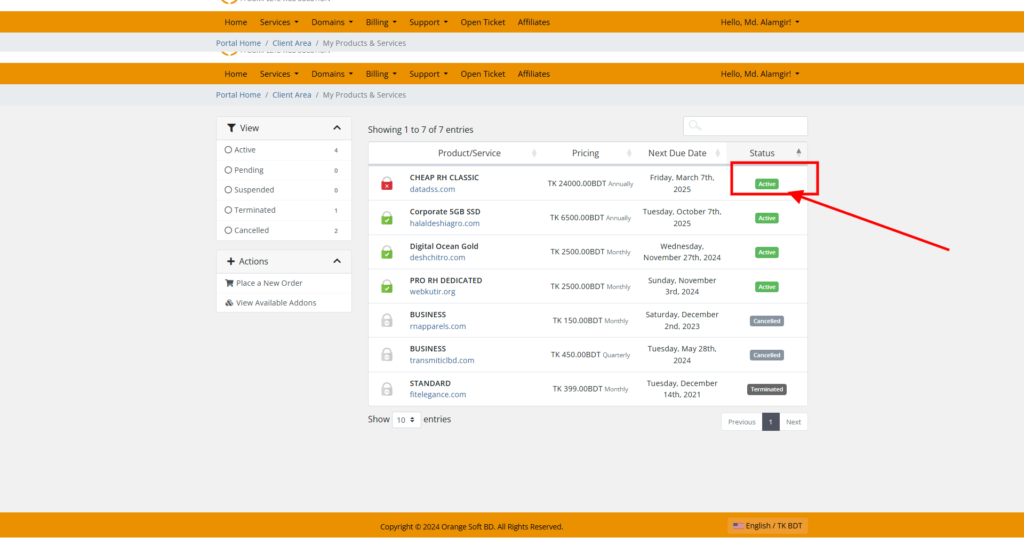
Step 3: Please select your cPanel Hosting service that you want to login via Client Area, Then Click this Active button.
Step 4: Now, Click this Login to cPanel button.
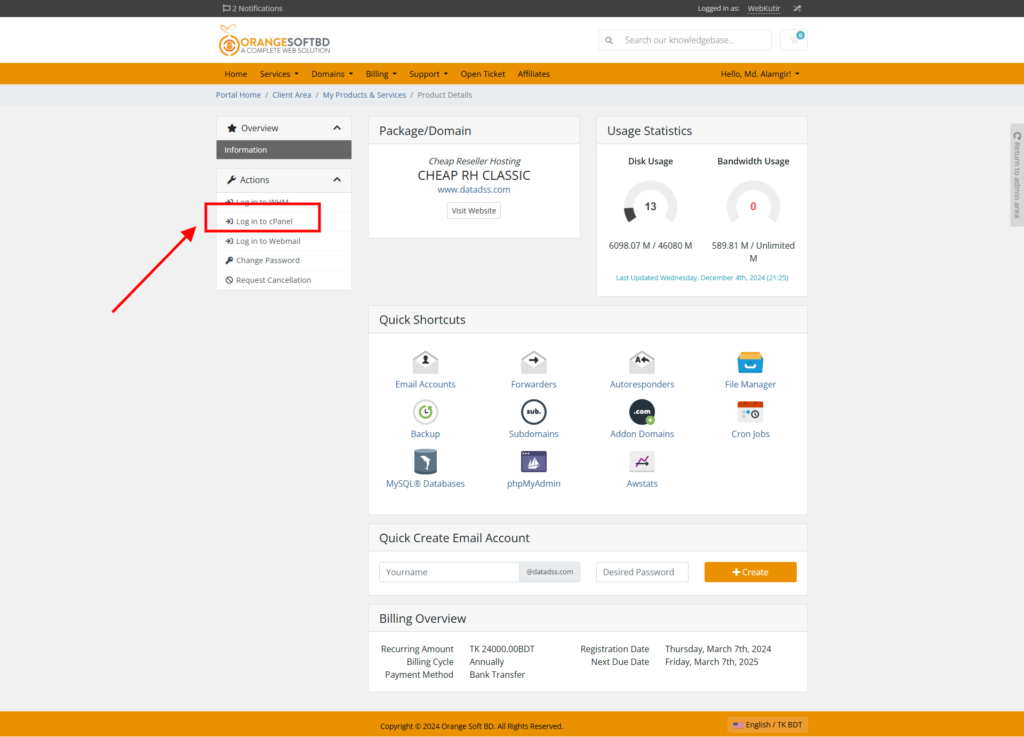
After clicking login to cPanel option then you get your Cpanel without any credential.

Was this helpful?

0 Yes  0 No
Related Articles
  • How To Change PHP Version in cPanel
  • How To Database Backup From cPanel
  • How To Download Website Full Backup from cPanel
  • How to change cPanel password
  • How to create Webmail Account from cPanel
  • How to create FTP Account from cPanel

Didn't find your answer? Contact Us

cPanel
  • How to login cPanel form Orange Soft BD client area?
  • How to create FTP Account from cPanel
  • How to create Webmail Account from cPanel
  • How to change cPanel password
  • How To Download Website Full Backup from cPanel
  • How To Database Backup From cPanel
  • How To Change PHP Version in cPanel
All Categories
  • Domain
  • cPanel
  • Billing or Accounts
  • SSL Certificates
  • WordPress
  • Web Hosting

  How to create Webmail Account from cPanel

How to change cPanel password  

Copyright 2025 Orange Soft BD. All Rights Reserved.